
Welcome to the forums at seaphages.org. Please feel free to ask any questions related to the SEA-PHAGES program. Any logged-in user may post new topics and reply to existing topics. If you'd like to see a new forum created, please contact us using our form or email us at info@seaphages.org.
Recent Activity
Joseph Stukey posted in Numbering on Frames Page
Debbie Jacobs-Sera posted in Numbering on Frames Page
storksle posted in Issue finding passwords for mass add users
Joseph Stukey posted in Numbering on Frames Page
NWCiowaSEAPHAGE posted in Tenure track faculty position at Northwestern College, Orange City IA
Validating Translational Frameshifts in DNA Master
| Link to this post | posted 29 Dec, 2025 05:55 | |
|---|---|

|
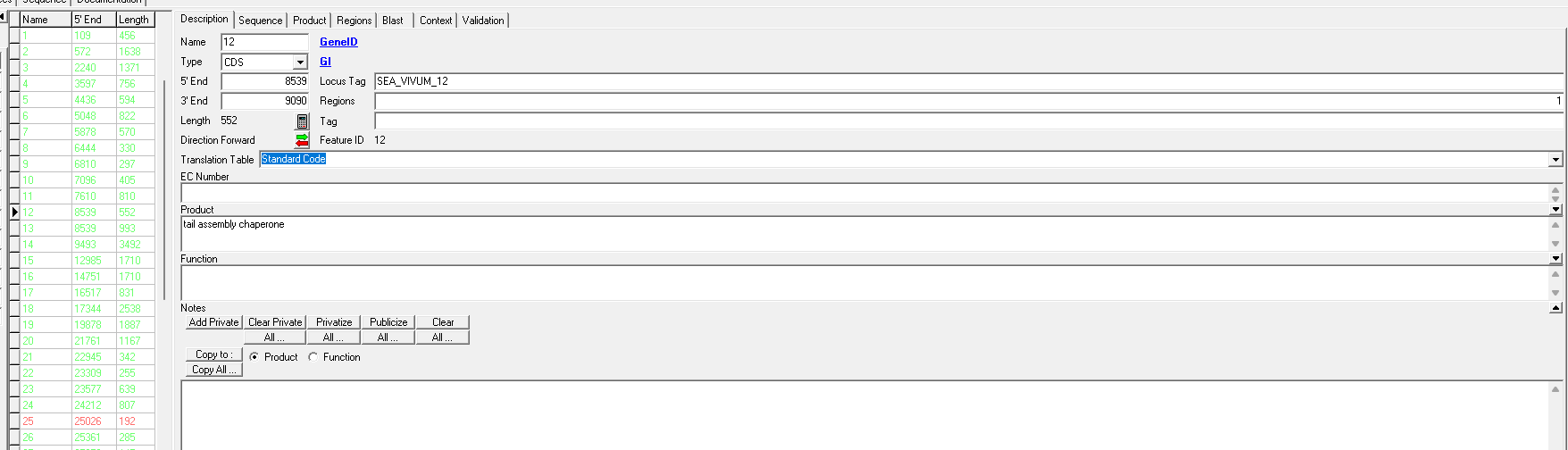
Hello, I am bringing my file from PECAAN into DNA Master and having an issue with the programmed translational frameshift. The error I am getting is: join(8539. .9090;9035. .9475) 1 In-frame Stop Codon 8539 - 9090 and share a 5' (upstream) coordinate I am fairly certain the frameshift occurs around 9035 and this worked in PECAAN. I tried to follow the guide for programming this into DNA Master but it was not working - does this mean I am labeling the frameshift incorrectly? I am trying to format for submission and could appreciate some help, thanks! Some further details - my phage is Vivum on PECAAN if you want to look further into this. |
 24Kb
24Kb| Link to this post | posted 29 Dec, 2025 05:56 | |
|---|---|
|
|
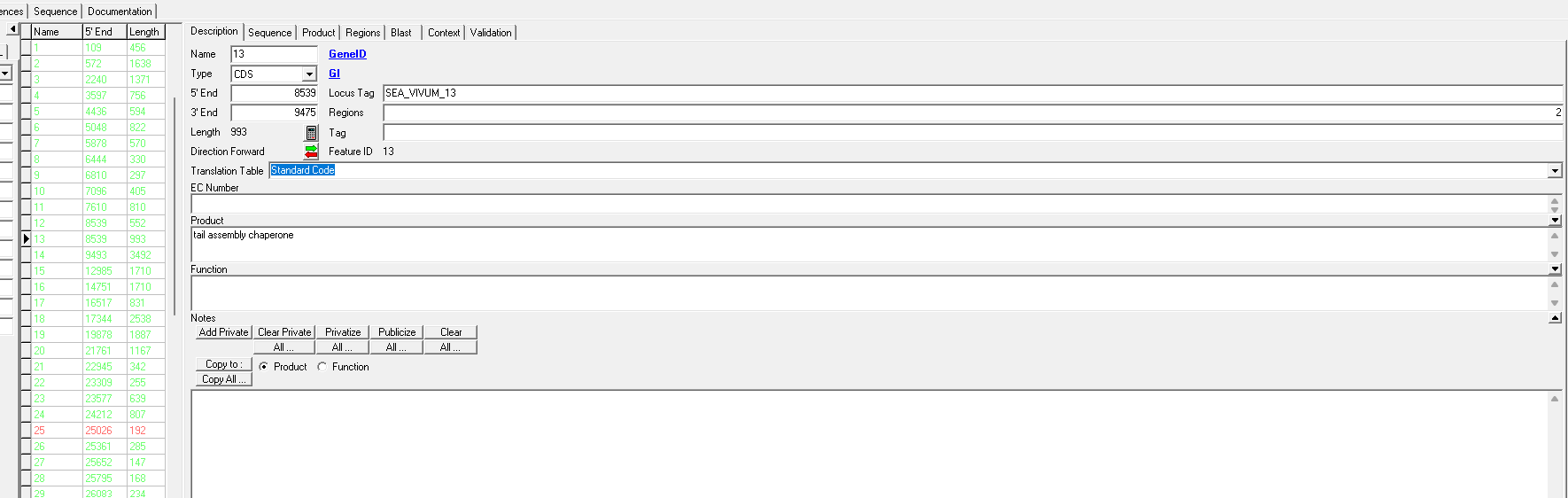
Second screenshot of DNA Master: |
 26Kb
26Kb| Link to this post | posted 29 Dec, 2025 05:56 | |
|---|---|
|
|
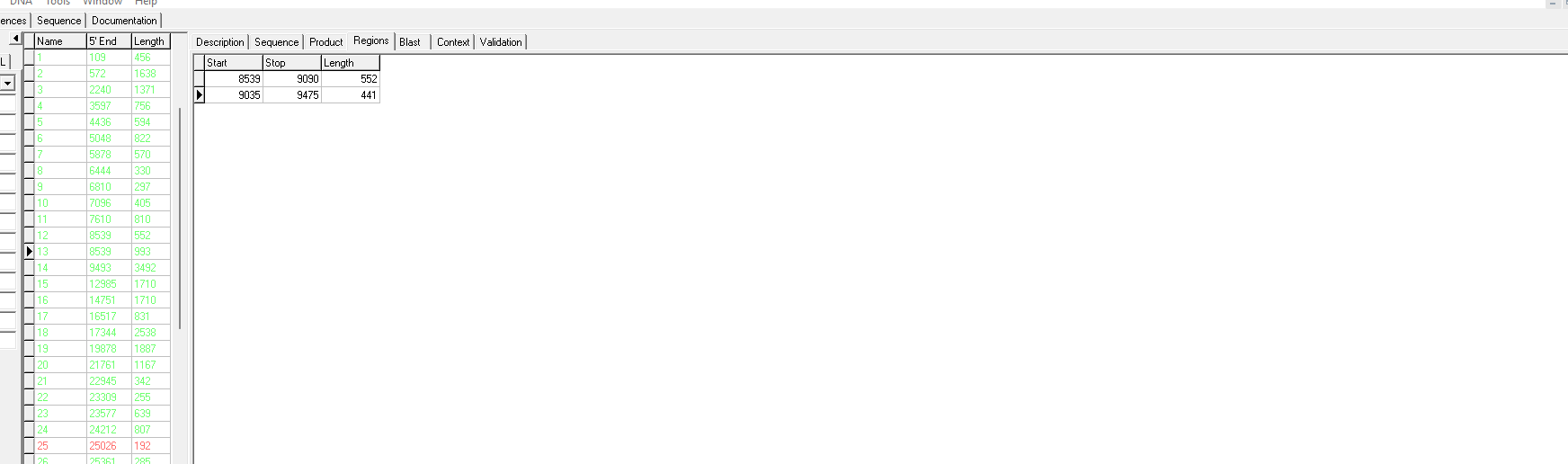
Third screenshot of DNA Master: |
 18Kb
18Kb| Link to this post | posted 29 Dec, 2025 18:10 | |
|---|---|

|
Hi - I noticed two things that don't look like the instructions for annotating a frameshift. You might want to go back and double check the frameshift annotation instructions for DNA Master, but here are my thoughts: 1) You need to have "2" in the regions box on the Description tab of the frameshifted version of the genes. 2) Your "stop" coordinate for the first region (9035) should be the the same as the start coordinate for the second region (assuming this is a -1 frameshift, there are other possibilities). You should recalculate the lengths after you make this change (I don't have DNA Master open, but I believe there is a button on the bottom of that page to get it to calculate the lengths). 3) You can also hit the "calculator" button on the Description page when you are done to make sure it shows the correct final length as well. I hope this helps. Lee |
| Link to this post | posted 29 Dec, 2025 20:20 | |
|---|---|
|
Hi all, Directions for annotating a programmed frameshift are found here. https://genomicsguide.seaphages.org/ What Lee has said is all true, but doesn't apply to this particular frameshift because you have a +1 frameshift and Lee has described a -1 frameshift. This video describes how to annotate a +1 frameshift. It happens to be very similar to the frameshift in Vivum. https://seaphages.org/video/79/ The 2 regions of the programmed frameshift of the tail assembly chaperone gene of Vivum are 8539-9036, 9038-9475. Let me know if you have any questions. debbie |
| Link to this post | posted 29 Dec, 2025 21:13 | |
|---|---|
|
|
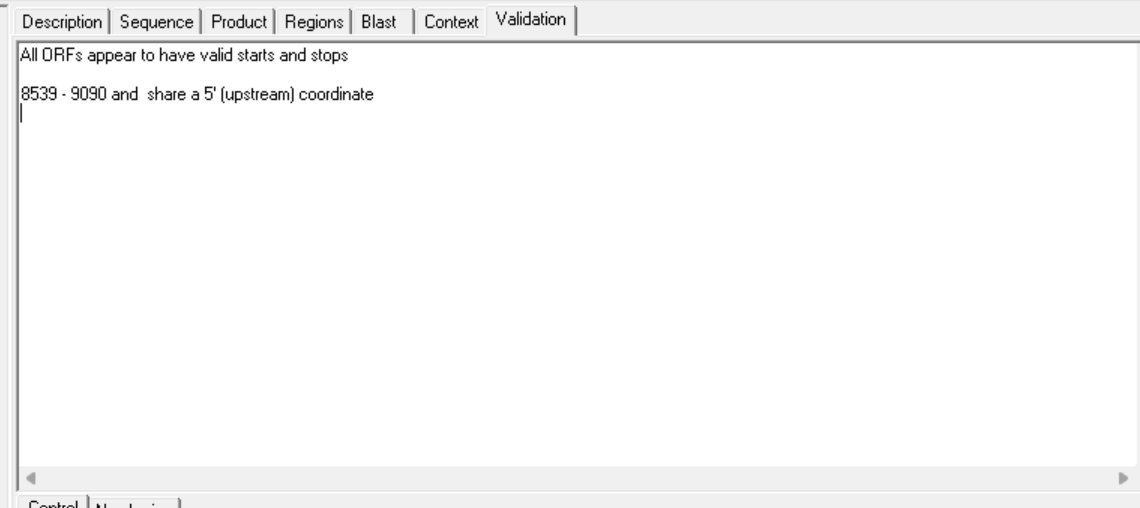
Thanks Debbie and Lee - looks like I was not annotating the slip appropriately. I still get this message, is this fine for submission? Levi |
 30Kb
30Kb| Link to this post | posted 29 Dec, 2025 22:05 | |
|---|---|
|
|
Yes! That is the appropriate message because the "G" and the "G/T" genes of the tail assembly chaperone pair do a share the same start! Check out the paper listed in the Genomics Guide! debbie |